CleveresTricky: User guide
Find the menu you need, follow the short steps, then check the result.
Start here
- Install the official ZIP through your root manager.
- Open WebUI (Magisk: Action).
- Add authorized key material in Keyboxes.
- Keep optional identity controls off until needed.
Choose a task
- Strong Integrity guide
- Manage keyboxes
- Application rules
- Device and build identity
- Backup and restore
- Find and report a problem
Where is each feature?
Identity appears when an identity feature is enabled on Dashboard. Security Patch is available under Identity when enabled. Core Keystore, boot and RKP protection are separate from these optional controls.
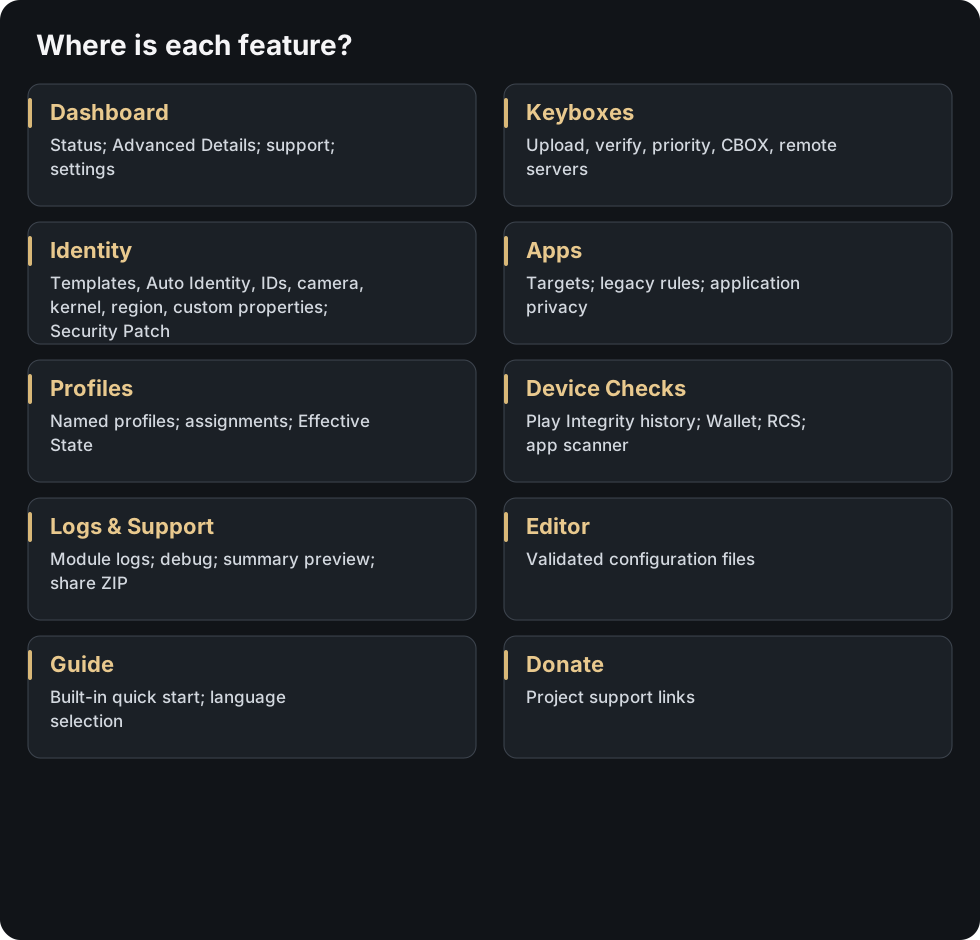
Open the map to zoom. The table below links each menu to its guides.
| Menu | Features and guide |
|---|---|
| Dashboard | Status; Advanced Details; support; settings. Identity controls · Backup and restore · Application scope · Automatic keybox checks · Performance and resource use · Find and report a problem |
| Keyboxes | Upload, verify, priority, CBOX, remote servers. Manage keyboxes · Encrypted CBOX storage · Remote keybox servers |
| Identity | Templates, Auto Identity, IDs, camera, kernel, region, custom properties. Device and build identity · Telephony identity · Custom properties · Region properties · Identity refresh · Security patch levels |
| Apps | Targets; legacy rules; application privacy. Application scope · Application rules · DRM passthrough and privacy |
| Profiles | Named profiles; assignments; Effective State. Profiles · Application rules · Find and report a problem |
| Device Checks | Play Integrity history; Wallet; RCS; app scanner. Find and report a problem |
| Logs & Support | Module logs; debug; summary preview; share ZIP. Logs & Support · Find and report a problem |
| Editor | Validated configuration files. Edit configuration files |
| Guide | Built-in quick start; language selection. WebUI navigation and access · CleveresTricky - Strong Integrity Guide |
| Donate | Project support links. |
All guides
- Application rules
- Application scope
- Boot properties
- Device and build identity
- Custom properties
- Identity refresh
- Security patch levels
- Profiles
- Region properties
- Identity controls
- Telephony identity
- Attestation
- Automatic keybox checks
- Legacy certificate safe mode
- Encrypted CBOX storage
- Manage keyboxes
- RKP protection
- Security and limits
- Strong Integrity guide
- Backup and restore
- Find and report a problem
- DRM passthrough and privacy
- Install the module
- Open WebUI on Magisk
- Edit configuration files
- Performance and resource use
- Use other identity modules
- Remote keybox servers
- WebUI navigation and access
- Logs and support reports
After a change, check Logs & Support and the affected app. Restart apps that cache results; reboot for changes marked pending.